
How to Update and Use Ford SYNC | Brockville Ford Tech Tips
Updating and Using Ford SYNC: A Guide for Brockville Drivers
Staying connected on the road has never been easier thanks to Ford SYNC technology. Whether you’re commuting along the Highway, running errands around Brockville, or heading north for a weekend getaway, SYNC helps you drive smarter and safer. From hands-free calling to navigation and smartphone integration, SYNC makes every trip more convenient. Let’s walk through how to update your SYNC system and use its most practical features.
Step One: Check Your SYNC Version
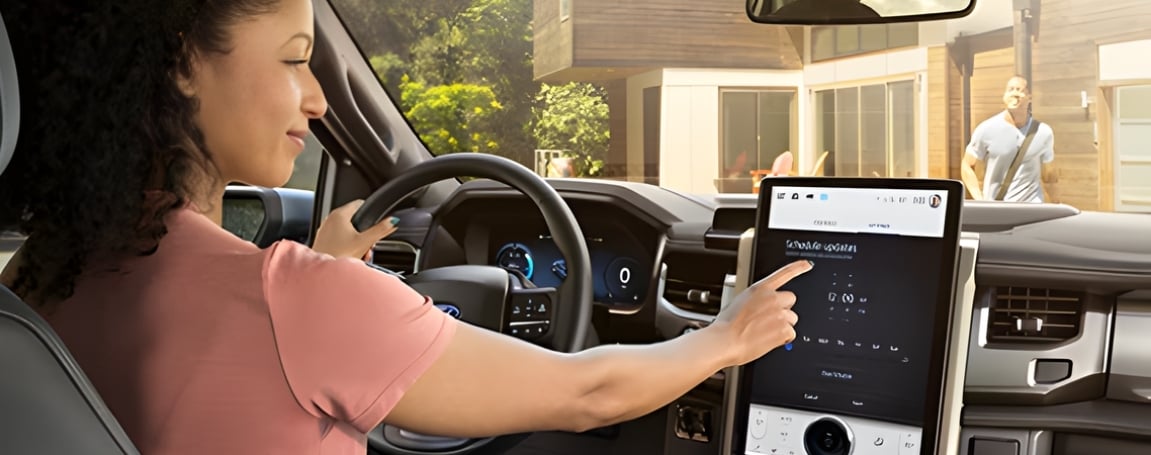
Before updating, it’s important to know which version of SYNC your vehicle has. Ford offers SYNC 3, SYNC 4, and SYNC 4A, each with slightly different capabilities. SYNC 3 brings touchscreen convenience, voice-activated communication, and simple navigation. SYNC 4 and 4A take things further with wireless connectivity, advanced voice recognition, and faster responses. You can find your SYNC version by checking your vehicle’s touchscreen menu or referring to your owner’s manual.
Step Two: How to Update Ford SYNC
Updating SYNC keeps your technology working smoothly and ensures you always have the latest features. Many newer Ford vehicles offer over-the-air updates, meaning your system can refresh itself automatically when connected to Wi-Fi. For other models, updates can be downloaded from Ford’s official site, then transferred to your vehicle via USB. To check for updates:
- Go to your vehicle’s SYNC settings menu.
- Select “System Updates.”
- Follow the prompts to connect to Wi-Fi or use a USB drive for download. This process ensures your SYNC runs its best, helping with everything from navigation accuracy to compatibility with new smartphones.
Hands-Free Calling and Messaging

Once your SYNC is updated, you can take full advantage of its features. Hands-free calling allows you to stay connected without taking your eyes off the road. Pair your phone via Bluetooth, then use voice commands to make calls, hear text messages, or send pre-set replies. For Brockville drivers, this is especially useful when navigating winter roads or busy traffic, where keeping your hands on the wheel is essential.
Smartphone Integration with Apple CarPlay and Android Auto
One of SYNC’s most popular features is its ability to mirror your smartphone. Apple CarPlay and Android Auto bring your favourite apps right to your Ford’s centre screen. You can stream music, access maps, or use voice assistants like Siri or Google Assistant. Simply connect your phone by USB (or wirelessly in SYNC 4 models), and you’ll enjoy a seamless in-car experience. Imagine heading out on a snowy Ontario morning, just ask Google for the fastest route around delays or use Siri to cue up your favourite playlist for the drive.
Navigation Made Simple
SYNC also makes it easier to get where you’re going. Depending on your version, you’ll have access to connected navigation that updates routes in real-time. Use voice commands to ask for directions to the nearest gas station or to set a course to Ottawa or Kingston without taking your hands off the wheel. This kind of convenience is especially helpful for Brockville drivers during winter, when icy conditions make staying focused on the road a top priority.
More Features That Enhance Your Drive
SYNC goes beyond communication and navigation. Features like climate control through the touchscreen make adjusting cabin comfort straightforward. Entertainment is also front and centre with options like FM/AM radio, SiriusXM 360L, Bluetooth streaming, and voice-activated music search. For added peace of mind, 911 Assist can automatically call for help in an emergency, even if you’re unable to. These little touches make every drive around Brockville safer and more enjoyable.
Why Keep SYNC Updated?
Updating SYNC isn’t just about new features — it’s about safety and reliability. Regular updates help fix bugs, improve compatibility with new phones, and ensure your navigation stays accurate. For drivers in Ontario, where road conditions and weather change quickly, having a reliable system you can trust makes all the difference.
Experience SYNC with Brockville Ford
Technology should make driving easier, not more complicated. That’s exactly what Ford SYNC delivers. At Brockville Ford in Brockville, ON, we’re here to help you make the most of your vehicle’s technology. Whether you want to learn more about SYNC features, check if your system is up to date, or try out the latest Ford models equipped with SYNC 4, our team is ready to guide you. Browse our inventory of Ford vehicles with SYNC, book a test drive, or contact us today to see just how simple staying connected on the road can be.